

During the orange storm that took place on Tuesday something happen to my internet connection, the weather condition doesn’t have an effect on the Wifi connection, the only issue is that if the equipment wasn’t bolted down correctly then the wind can move it slightly. I came back home to find that my internet connection was 1 to 2 MB. Luckily I had a good supply of shows to watch but surfing the net was painful. When you get used to highspeed anything else is just very very painful, so from 20 MB to 1.5 MB drove me nuts. I called up their support department, notified them of the issue, they went through the usual checks and said there was something unusual going on and an engineer would be dispatched by tomorrow afternoon which I thought was perfectly fine.
Next Wednesday afternoon I get a call from the engineer he said he will check the physical connection and get back to me. After three hours I get a call from the guy that he tweaked it and worked on it until he got it back to 12-14 MB which is the max he could get it working stably. He said he needs to come back with another engineer and test the receiving tower as well, he said he promised to get it back to 20 MB. I liked how he was very nice, called me when had a full update and didn’t just leave, he gave me a really good fix and verified that there was a major problem but he hasn’t figured what the main problem was but found a quick fix until the next day.
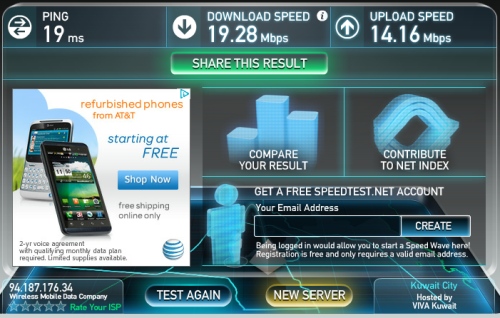
Then Thursday morning he was back and working at it with another engineer and he brought a spare transmission unit just in case mine was faulty. With the other transmission engineer and their support center they kept testing until they found the best work around solution. It seems something was interfering with the signal and I got really affected by it. They used the current equipment and didn’t need to replace it, but the great part is they had it with them. I tested the speed as soon as I got home got some very good numbers, even got about 2.4 Mbps for my download speed from the server which was insane. Excellent service, quick and consistent and this isn’t the first time I have an issue and they really get to it in a timely manner. This is the type of service that companies should follow.

I Got This Email From A Concerned Reader, Abdulazziz, that this happened to him.
Well i got a phone call from Qualitynet today telling me that they’re cutting my internet because I’m using huge bandwidth the thing is it came out without any warning nor giving me my limits but whats strange was they offered me companies subscription which is 4 times what I’m paying around 1300kd a year while i pay 370kd for 8mb if I’m abuser why did they offered to switch my account why didn’t they warn me instead of telling me that they’re cutting the service and above all that there is no service on their website that shows how many mega bites i used!! so it could be all lies or trap to make people pay more than the amount they’re already paying.
After asking several questions back and forth, and asking a few other people on the inside, it seems Qualitynet is really doing this. I understand some of the ISPs have this “unsaid” rule of capping people a bit if they abuse their network, and I have been categorized by a few ISPs as an abuser but this is ridiculous.
They call a user and tell him he is an abuser and he can only upgrade to a “Company Plan” since he is no longer eligible for a “Individual Plan” which he has paid for in full and doesn’t end until November.
When he asked questions they offered him no explanation as to what are the exact numbers defined in his abuse. He just uses his connection for downloads and surfing, a lot of gaming, and major updates. I don’t think any of those are a real major issue and we all do that, I have several major updates my machines, hell I did a 15 GB patch to one of my games, so how is that defined?
You would think that after the Data Cap issues from last year that QualityNet & Kems started were over and done with and they learned their lessons. But it seems some genius in QualityNet thought to disconnect people for “Abusing” their connections.
Other then this action being very illegal since the user was given no notification, no explanation, and there were no new binding Data Cap agreements after the whole issue last year. He was given an ultimatum, either sign up for the company packages or we will disconnect you. He still has 6 months left on his connection and they aren’t even offering him a refund.
Seriously is anyone in QualityNet thinking, do they really think this is a just action? What happened to all the good guys who used to work their? Care about the users? They used to be internet junkies? Is is just a bunch idiotic accountants cooking up numbers to see how much they can squeeze more profits out of people, so the solution is to disconnect half way and not provide them with the service but keep their money. Its very sad that QualityNet has fallen so low.
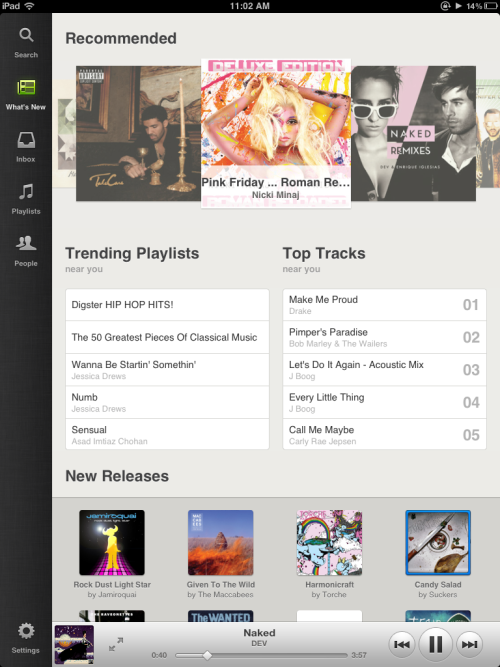
If you love music and your not on Spotify yet you are honestly missing out, this is what iTunes should be like. I’m making music on the fly, listening to it on my car, and I’m also paying for the premium services so I can even download straight to my Samsung Galaxy Nexus, HTC One X, iPad, and PC without any issues. I have it integrated into my Sonos system, literally the reasons to have it are endless.
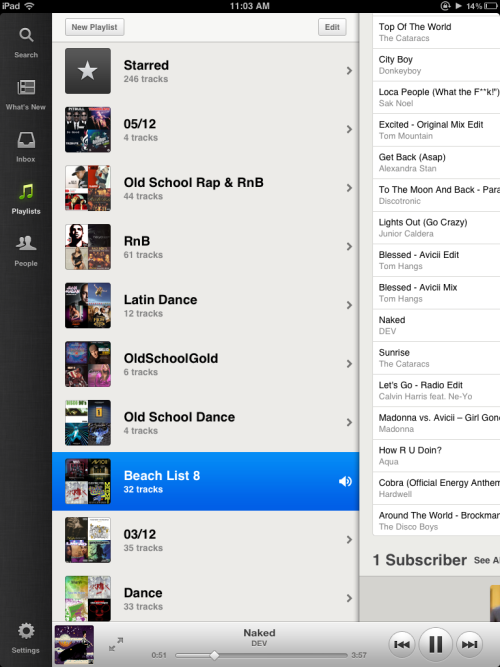
And at last they have come up with the iPad App and its worth the wait, they really did a fantastic job of making it seamlessly work with the iPad. I love that they took the time to design it in a way that makes use of every square inch of screen real estate that you have. This app does a lot, but it doesn’t rub the extra features in your face. The design is fairly clean. Playlists can be grouped neatly into folders, In addition, a tap-and-hold feature bring up additional options such as the ability to add something to a playlist or star it, and a new search autofill feature lets you find artists by typing in the first few letters. You can hunt down songs, albums, and playlists from the same box. But one main note, to use this App you need a Premium account, to use Spotify for free you can use the Desktop App, but its really worth paying for the Premium Service.

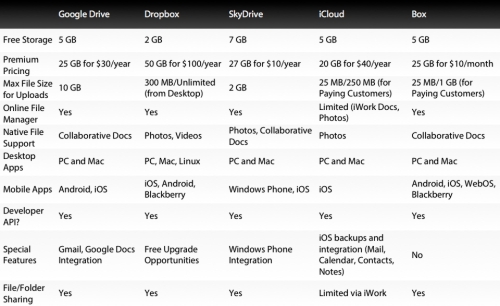
Right now you have a lot of choices for Cloud storage, the first player to the game being DropBox and they have integrated seemlessly into so many services and a lot of people use it naturally. Right now there are several cloud storage services out there: Microsoft SkyDrive, Apple iCloud, Google Drive, Box, & DropBox.
I for one shifted my iTunes and current Apple services to the iCloud, it just helped me access my iTunes from my other machines mainly and get my music on the cloud. SkyDrive interfaces with Microsoft very well but thats about it for me, doesn’t really fit my needs since I barely use Microsoft Office. Google Drive is very Google Docs oriented, a bit on the stiff side for me, stills its new and I haven’t had a chance to try it out completely. I haven’t really tried Box which is another independent service. DropBox has all my needs covered for now with an excellent updated online interface, works perfectly with Android & iOS, and does exactly what I need between my machines. Below is a comparison chart between the different services, the comparison done by Gizmodo, and the only major difference is that DropBox is a bit too expensive and I think they should bring down their prices but it is their core service in this case. You can also check out a more detailed analysis at the link below from Gizmodo, for now I’m sticking to DropBox.
Link: Gizmodo

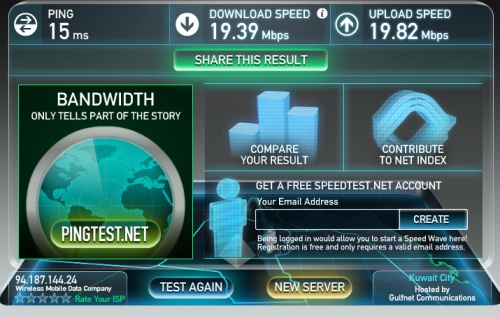
After a few months of use I have had a good experience with WIMD overall, it hasn’t gone south like a lot of people were worried about. But they are taking steps to make sure their service remains top notch. I hope they stick to the no capping rule, I have been downloading consistently and getting speeds from 1.4 to 2.1 MB depending on what I am download, shows that took 50 mins now download in less then 4 to 7 mins. Gaming has gotten a lot better as well, I am playing multiplayer without any issues at all, I just did a huge XBox update within mins, before I would wait for over an hour to finish the update.
Recently they are adding people very slowly, I think it is good for their current customers. I know it can be frustrating for new customers but they are taking it slowly and not over subscribing people. The current wait time is between 1 to 2 months and I honestly can’t blame them, they are being patient adding customers so they don’t flood themselves. What I liked also is that when I spoke to their customer service center they do admit their is a problem instead of telling you to reset your modem multiple times before they tell you the truth which has happened with a few ISPs before. They say there is a problem and it will take a day to fix since it is new to them, they aren’t a full ISP, they are like a learning ISP and their honesty is refreshing. Overall I am very happy with their service and recommend it to people. Keep in mind that if you have high speed connectivity through a land based or fiber connection that is always preferable but if you are like me with a crappy land connection then WIMD is an excellent option, the only limitation is the matter of LOS which line of sight to their tower. I think recently they have been charging people to do a sight survey in people’s homes but I don’t think that is right, I think they should offer it without it but those are in need would pay for it, but I’m not sure what the cost of the sight service is.
This was a short celebration for us Android users, honestly I was very happy to get Instagram and share a lot of things with friends and family, a real social photo sharing platform done right. But this news about Facebook buying out Instagram for $1 Billion is nothing short of shocking. All the evil works of Facebook and Zuckerberg entered my head, I feel like I’m swimming in tainted water, that Facebook can finally get its hands on me. If anytime big changes come along, some of us aren’t going to be OK with them. Now that Instagram is soon to be under Facebook’s control, many are expecting privacy woes and leaving the service for greener pastures.
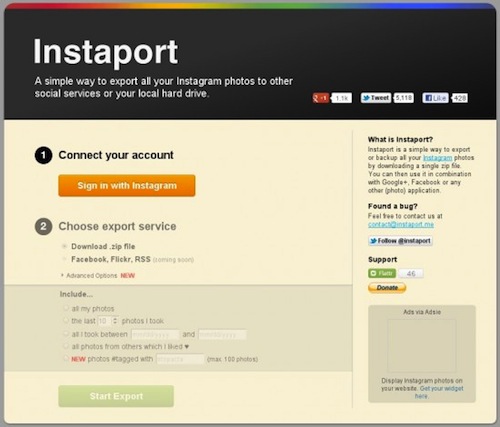
Leaving Instagram is not something I would like to do at this juncture but I would like to have the option of taking all my photos with me if need be, in Android everything is Synced to My Google Plus account but just in case you feel like leaving this probably the simplest way to go about it.
This is easy. Fire up your computer, and head to Instaport. It’s a website whose sole purpose is to suck your pictures out of Instagram, and drop them into another account or save them to your computer hard drive. Follow the instructions, and you’ll end up with all your Instagram pics bundled neatly wherever you want to keep them. Fair warning — they are under some “heavy traffic” right now, so you may have to wait a bit. I got it to work on the third try, but your mileage may vary.
Then head over to Instagram to have your account deleted, keep in mind that you won’t lose your account when you do this, your Username is still yours so nobody can take it.
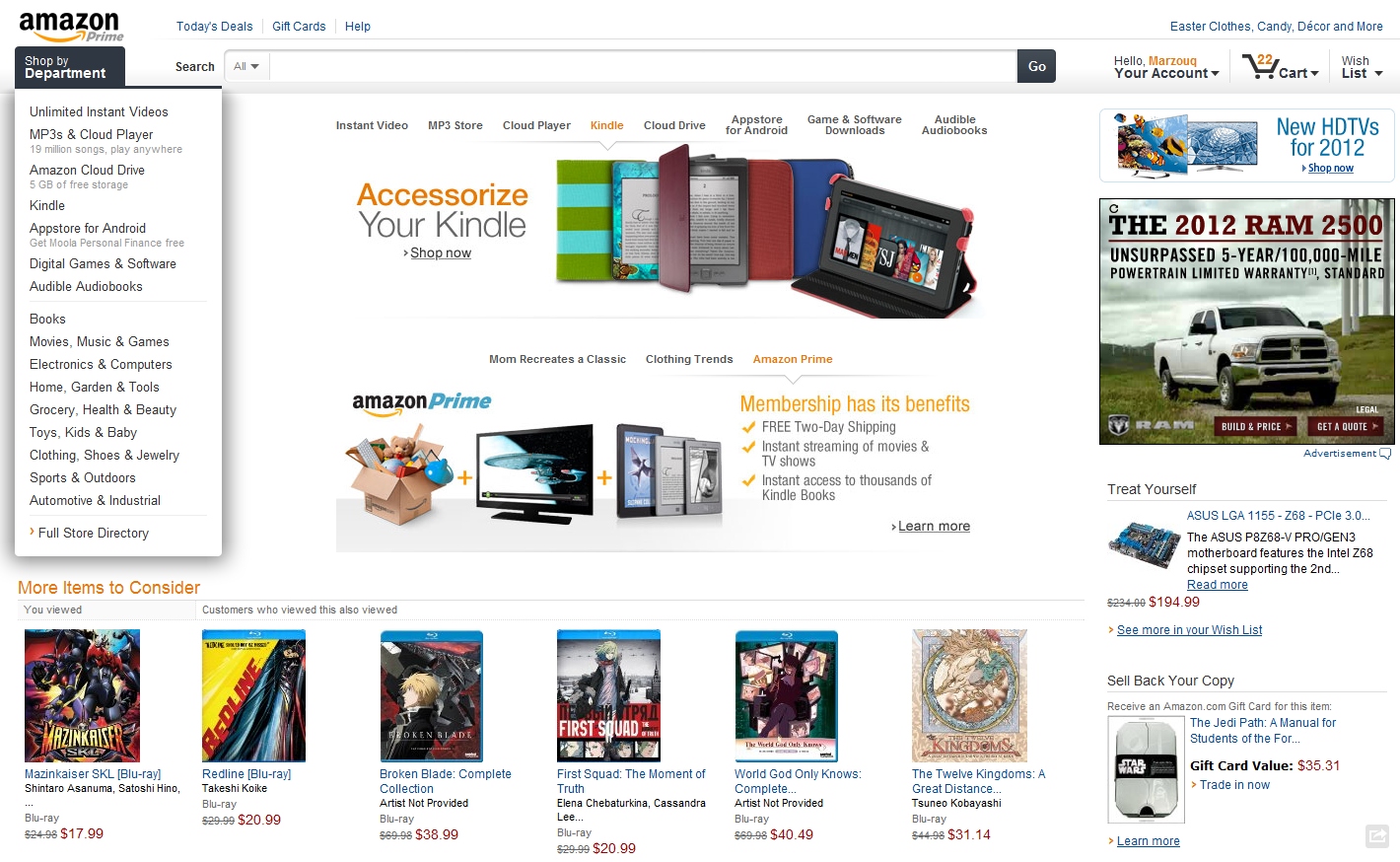
It seems that Amazon got a face light to their whole front end, and I like the update. It feels like and easy, makes me want to hit the buy it now button more then before. Now its clear the number of items in my checkout cart, this isn’t helping my credit card. Keeping my credit card at a zero balance is an uphill battle every month, and Amazon is no help.
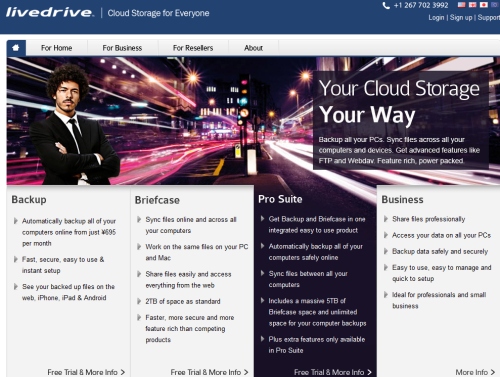
Everyone at this point has heard or is using DropBox, its so convenient and very simple to use with a lot of options, also its one of the least complicated sharing solutions. For a while I have been checking out LiveDrive since they have almost the same features but with a more bells and whistles, you get the option of 2TB or 5TB, and the back ups from your machine doesn’t count against your quote. The interesting thing is that the space loads up on your computer as a hard drive and you can do that across several machines Windows or Mac which is pretty cool. Currently I’m paying for the extra DropBox storage and I’m around 80% capacity, they other day I realized that I store a lot on DropBox and rarely take it off since I’m accessing it a lot from different machines. I would go with one of the home solutions which doesn’t have file restriction sizes like Box, and provides a lot more space then DropBox. For now DropBox is the best on the go solution and fantastic, but LiveDrive is when you need something for those huge files and flexibility to do what you want with them across multiple machines.
LiveDrive App Available For:
- iPhone
- iPad
- Android
For Home Services (Yearly Price)
- 2 TB – $150
- 5 TB – $250
For Business Services (Yearly Price)
- 5TB – $500
- 10TB – $1500
Link: LiveDrive
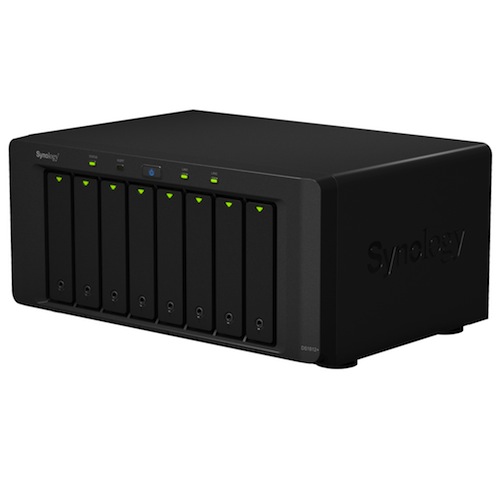
Synology keep coming out with more and more lovely machines, they just unveiled their first ever 8 bay NAS server in the shape of the DiskStation DS1812+, a high-speed/high-capacity device targeting prosumers and SMBs. It can expand to a total of 18 Drives with the help of two DX510s, so with its current drives it can handle up to 32 TB without the expansion drives which is a ridiculous amount of space.
The new model is powered by a 2.13 GHz, dual-core processor and includes support for USB 3.0, high speed network transfers with link aggregation as well as support for emerging 4TB hard drives. RAM is expandable, up to 3GB.
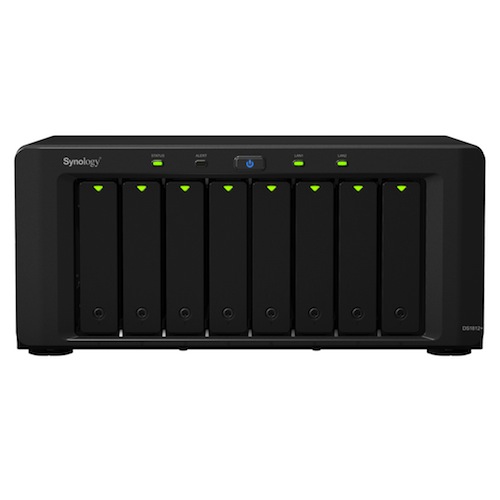
According to Synology’s internal tests, transfer speeds average 202 MB/sec read and 194 MB/sec write speeds in a RAID 5 configuration. I still have the DS1511+ and still about 40% storage left but this looks very enticing, for some reason these days I’m attracted to desk type storage. There is a 12 bay version but I thought it was overkill and this one seemed more reasonable. I know others have mentioned the homebrew software which you can install for storage, I have used those before but honestly Synology does both the hardware and software so well that I don’t waste any of my time on it, it just work all the time with almost no issues at all. This one is price at $999 which isn’t bad at all but the current problem is that 4TB drives are priced at $300 which are a bit over the top so, it the drives which will eat up your wallet. But as a storage solution this is probably the best out there at the moment.
Link: Synology


Getting all friends on map, I think its based on what location you list in your twitter profile, just the people you follow, looks kind of cool but some of them are way off in islands or areas of the world they are probably not there but still pretty cool application. You can see your friends by clicking the link to the map below and connecting your Twitter account to it so it can see the people who you are following, that’s how they decide is your friend and apply it to the map, pretty nifty to see.
Link: TwitterFriendMap