
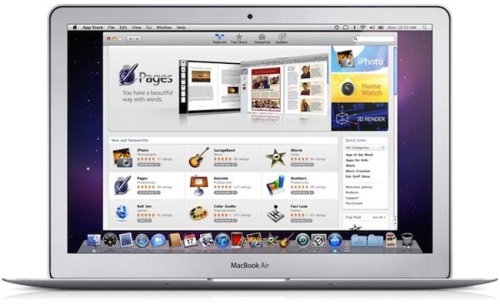
Mac News:
- Mac will be launching their App Store this coming January 6, which is the same start of CES in Las Vegas which Apple doesn’t attend. Now its going to be interesting to see the type of Applications that will be sold and at what price.
Delicious
- The social bookmarking website will be shutting down soon, I know some of us have been using it for all your bookmarking needs but it seems that Yahoo is shutting it down since its not performing as they hoped it would, so they are dropping it. You can export your bookmarks to HTML and use another service.
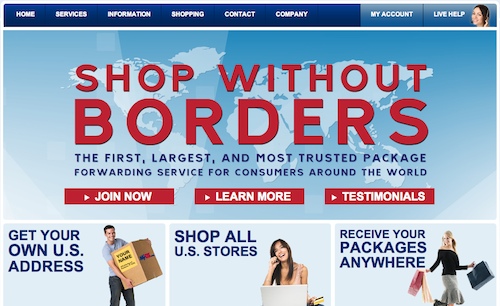
I tend to buy a lot of things online, and recently I have purchased items which aren’t readily available on Amazon or Ebay and the website has issues with a billing address which is different then a shipping address. When that is the case I have reverted to MyUS Personal Shopping Service a few times now. Sometimes they have been the best option and the best service to go with it.
I have done several orders with them, some normal value and some very high value and they have been excellent in handling complex orders such as custom computer gaming machines to ordering furniture. I wanted to get some items and I wasn’t able to personally order them so they were able to do order it for me.
Keep in mind that they charge a flat 6% fee on the final amount be it large or small. I think it is an acceptable fee because of the quality of their service when going through the process and their feedback.
Before The Order:
- They send you an email verifying your order before making it
- They clearly show you all the details and all the different options you have to ordering the product
- You can write all the customizations you want in the note box
After The Order:
- You get notification that you have been charged for the amount once the order goes through
- They get back to you with details of the order, and they reply quickly to your questions
- Once the order is received in your mailbox you are notified like always and they take multiple pictures which is fantastic
- They quickly ship it out and you get your order
Overall a very smooth service and highly recommend if you are looking for highquality service, and its worth since sometimes I order heavy items and turns out to be cheaper to get it from the US then it is to buy it locally.
Link: MyUS
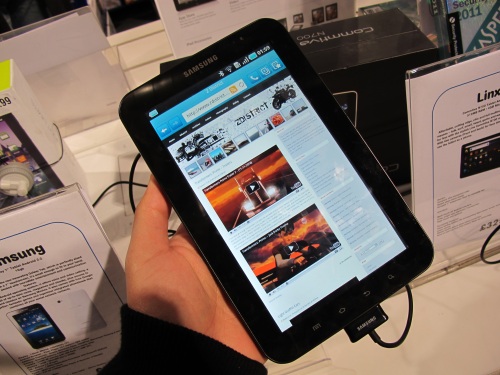
I was walking in Piccadilly just going store to store and looking around, pretty much enjoying roaming around the area. I walked into HMV I stumbled upon the Samsung Galaxy Tab sitting on the counter in their little tech area. I wasn’t expecting to see it there, I kept seeing lots of reviews online and I thought to play around with it for a bit.
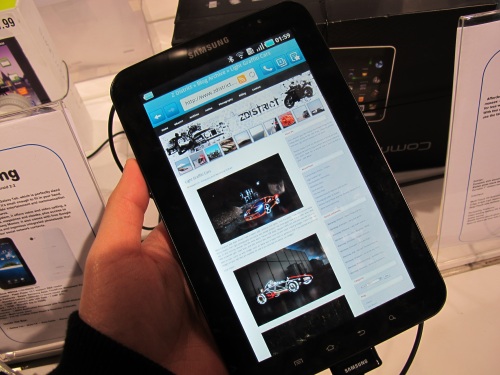
The Android Tablet is a very different then iPad, it feels more like an oversized phone then it does a tablet. It has a spot for a SIM Chip, so you can use it for connectivity same as the iPad, but its quite a bit smaller at 7inches. The screen was crisp and it was smooth when going from app to app, it feels like there is a lot to it and it can be tweaked. Looked like a very good tablet overall, it is said to be the best Android Tablet currently out there and some people might like it over the iPad, and I am one person who loves the Android platform but honestly speaking it is leagues behind the iPad in content and overall usage.
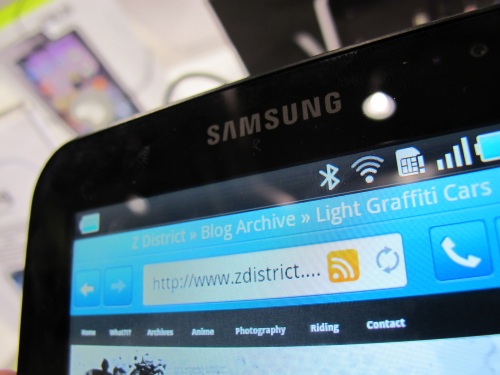
All the applications are developed for Android to run on the Android phones and this Tablet, Google is a bit lacking on the Market Direction and simplifying the users experience, the best part of the iPad is its simple application Market, but with Android you get lost and developers are getting lost with all the different iterations and different hardware. So it Tab is an excellent tablet but its lacking in Applications, and Developers haven’t taken advantage of the extra real-estate. For the first real Android Tablet, its excellent but they have a ways to go and Google really needs to step it up if they plan on developing Tablets, we want applications specifically for Tablets. I will stick to my Android phone as a phone, and keep my iPad for all my other needs for now.

Continue Reading…

People work for different reasons, and some people save to buy things and some for other reasons. Now in the article linked below from Luxist they are saying spending patterns of the rich and affluent have changed the last few years. From spending money on tangible goods such as cars, jewelry, art, homes, large yachts, and private jets. Now they are moving to more experience type items such as:
- Taking exotic vacations
- Vacation home in the mountains or at the beach
- Extended time off work
- Freedom to work from home
“The human need to seek approval through visible displays of our status is as primordial as ever. What may be changing, however, is how and what we choose to display. The top-rated goods and experiences are reflective of primarily private pleasures and point to a strong aspiration for leisure time, which can also be conspicuous. The shift away from conspicuous consumption from goods to services and experiences can also make luxury more exclusive,”
Personally I have an obsession with electronics and items I enjoy, its not always a necessity but something I enjoy. Working these days isn’t too much of an issue but I know later on I would want more time off. Truth be told we all want a hell of a lot of time off but as long as I am busy, I’m enjoying my work currently even if takes up a lot of time, its satisfying and I work with good people. We all have goals, and its true that sometimes you want to have these special experiences, some are closer then others.
Link: Luxist
Previously only your regular GMail accounts had all the different Apps and Services provided by Google, but now even Google Apps has all these Apps and Services. I currently have ZDistrict running on Google Apps as well as several other domains. From your domain Management you can enable your Google Apps account to be migrated to the new Apps and Services which gives you access to Google Docs and all other documents. But the one drawback I wasn’t aware of at the time is that then I can’t sign into my Gmail account and my ZDistrict account at the same time. To do that I had to Enable Mulitple Account Signin from my main Google Accounts Page. Once that is done you can switch between accounts from a dropdown menu which is very cool, and I’m enjoying it, I sign into one and then use the drop down to switch between them.
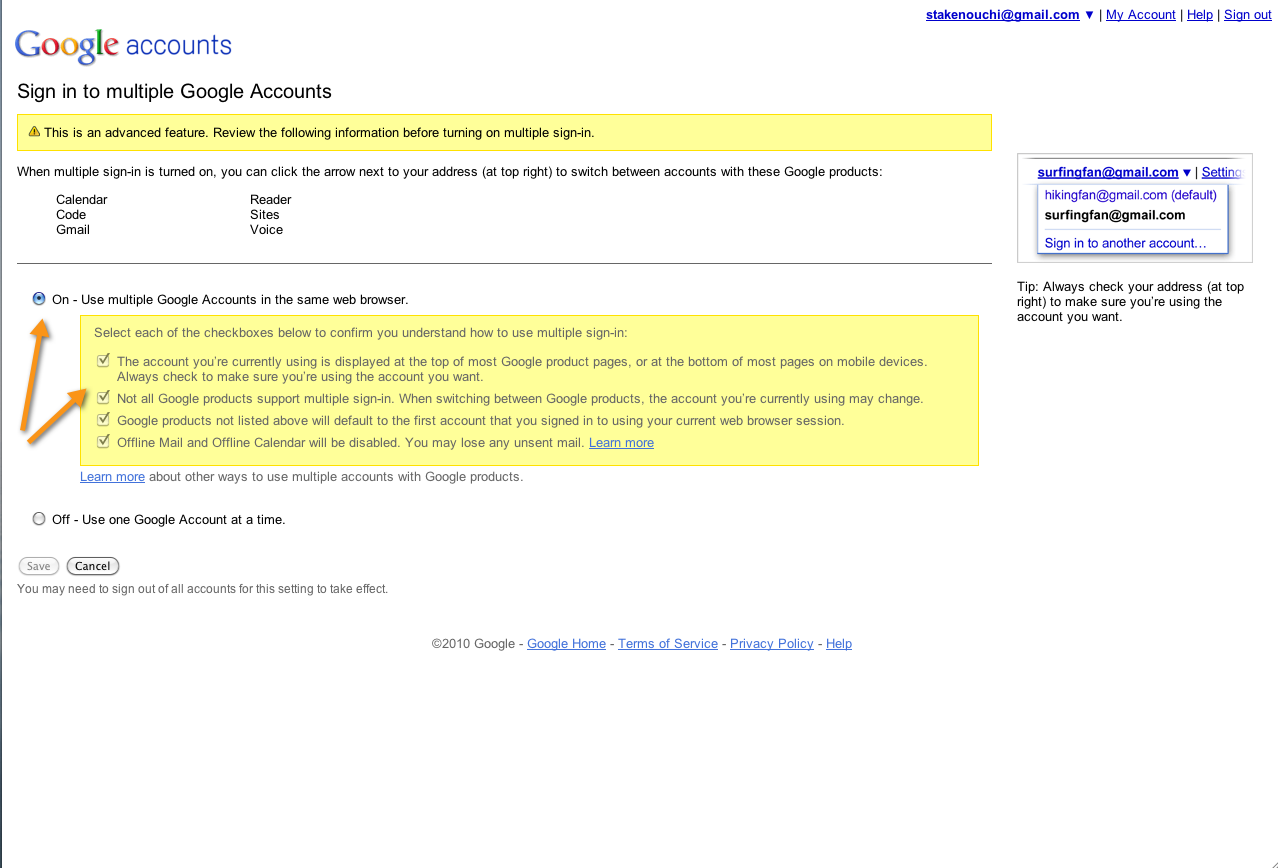
Before you can turn it on, Google wants you to be aware of a few drawbacks, most notably that not all products support multiple sign-in and offline mode for Gmail and Google Calendar won’t work. I’m assuming that these will be worked out at a later stage but their was no mention of that from Google. But if you want to turn off Multiple Sign In and maintain the offline mode, you can still sign into your account with a little trick but using one Chrome Incognito Window to access that other account.
Link: GmailBlog

College Education is filled with papers and assignments and all types of other literally works that you have to do to finish certain courses. I remember back in the early days it was the nerds who knew about Google and the ability it had to search through all the different materials, it was the perfect research tool from even a decade ago and back then no one knew. I had many assignments to finish books and write the conclusions I had and its relationship to certain aspects of history, and a lot of other things which bored me to death but I had to have it done. I would work on my papers and many times I knew they were horrible but I would be too tired to think of anything else and just submit hoping for a B, and not that I am the saint I would always add some puff pieces from online research, add a few quotes here and there to make it sound smart. A lot of times I remember I would rephrase an idea so it wouldn’t be technically plagiarizing but I would use about 50% of the same words. I remember I would freak out of being kicked out for plagiarizing or copying that I would site so much that my sources page would be a few pages long.
Now before visiting some friends in Boston I never thought of someone writing a paper for me as a possibility. I remember going to Boston in May of 2003, it was my first visit there in a while, and I’m not the biggest fan of the east coast but I wanted to see some friends. Then I was introduced to a woman, a caucasian women, she is a friend of a friend and they were discussing a paper and then she said it would be at the usual price of $25 per page. I didn’t understand what she meant only to later find out that she is a professional paper writer, she would write papers on all subjects and forms. I was shocked to know that someone would pay for a paper, and it cost so damn much, just 10 pages for $250, and she was doing a 30 page paper so thats $750 which was close to half my rent. I never said I was a saint in College but paying someone to write your paper is such an insane concept and a waste of money. My first thought is that this is very stupid, only to find out it was so wide spread in Boston, that women’s rent was paid for by some Emarati guy, and she wrote a lot of papers for many Saudis and Kuwaitis. You can imagine that the majority of her customers were from the Middle East and cant put two words together. That was the shock of my life at the time, I just can’t imagine having someone completely write a paper for me let a lone pay so much for it, some papers cost thousands of dollars. I would ask a friend to proof read it and later tell me that what I wrote was crap and fixed it up, that I always appreciated but paying someone was just plain wrong and a huge waste of money. And I remember getting a C+ in English in my first year of College because my teacher said she saw the effort I put it but my English was abismal at the time. I thought I worked so damn hard that I deserved better, and I was never a poem type of guy but that was it for my literally skills. Read the article below which tells the story of the “The Shadow Scholar” or The Academic Mercenary as I would like to call them. (Click The Link For the Full Article)
I’ve written toward a master’s degree in cognitive psychology, a Ph.D. in sociology, and a handful of postgraduate credits in international diplomacy. I’ve worked on bachelor’s degrees in hospitality, business administration, and accounting. I’ve written for courses in history, cinema, labor relations, pharmacology, theology, sports management, maritime security, airline services, sustainability, municipal budgeting, marketing, philosophy, ethics, Eastern religion, postmodern architecture, anthropology, literature, and public administration. I’ve attended three dozen online universities. I’ve completed 12 graduate theses of 50 pages or more. All for someone else.
You’ve never heard of me, but there’s a good chance that you’ve read some of my work. I’m a hired gun, a doctor of everything, an academic mercenary. My customers are your students. I promise you that. Somebody in your classroom uses a service that you can’t detect, that you can’t defend against, that you may not even know exists.
Link: TheChronicle

I’m impressed for about 12 KD per month we are getting close to 7 MB download speeds which isn’t too bad and the price is ridiculously cheap. The reason companies can give speeds like this is because they have decent infrastructure in the UK, but prices in Kuwait have dropped have dropped drastically over the years thanks to competition. Now the problem is that they don’t guarantee speeds so technically they can give you any speed for 400 KD per year ranging from 3 to 10 MB instead of the 150 KD for 6 MB but we are getting 7 MB at this price. It seems overall that upload speeds are still somewhat limited in all locations for consumers except data centers.
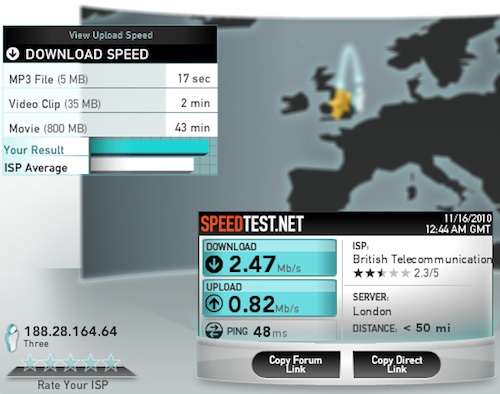
Now for the wireless it ranges from location to location but the 3 network is pretty stable with my constant use. I’m only using it for surfing and some minor downloads, I’m not downloading any torrents currently. 2.5 MB/s downloads isn’t too bad at all, its about the speeds we get in Kuwait, but I think some networks in Kuwait are a little faster. I get about 1 MB/s at home with the Vodafone but around 2 MB/s in other locations which isn’t bad.
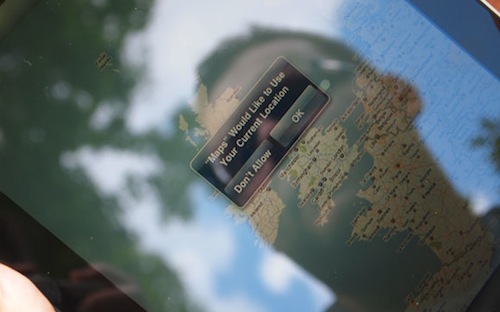
Since I’m going to be in London for a little while I thought it would be best to remain connected through one of the mobile Broadband providers. I wanted to have fast internet coverage where ever I am and most of the companies offer Pay As You Go USB Sticks but not all offer Pay As You Go MicroSims for the iPad. I had five options to work with for Pay As You Go:
- Vodafone (No iPad)
- 3
- O2 (No iPad)
- Orange
- Tmobile (No iPad)
I went to several of these companies and went to carephone warehouse to get the best deal. I also wanted to try a few of them because I might not have the best coverage at home. All of them have limited plans of 1 to 3 GB max per plan and you can top it off to increase the limit. ranging from £15 to £35 depending on the plan and type of USB stick. Out of all of them O2, Orange and Tmobile weren’t that good. Vodafone had a good plan but the coverage by my place isn’t too good but when I’m out its really good, but surprisingly the best out of the bunch for the Laptop and the iPad is 3 Network. And one other note, Mobile Broadband Internet in Kuwait is ALOT faster then the UK, but they can have the option of fiber to home but I was surprised how crappy their Mobile Broadband service in the United Kingdom.
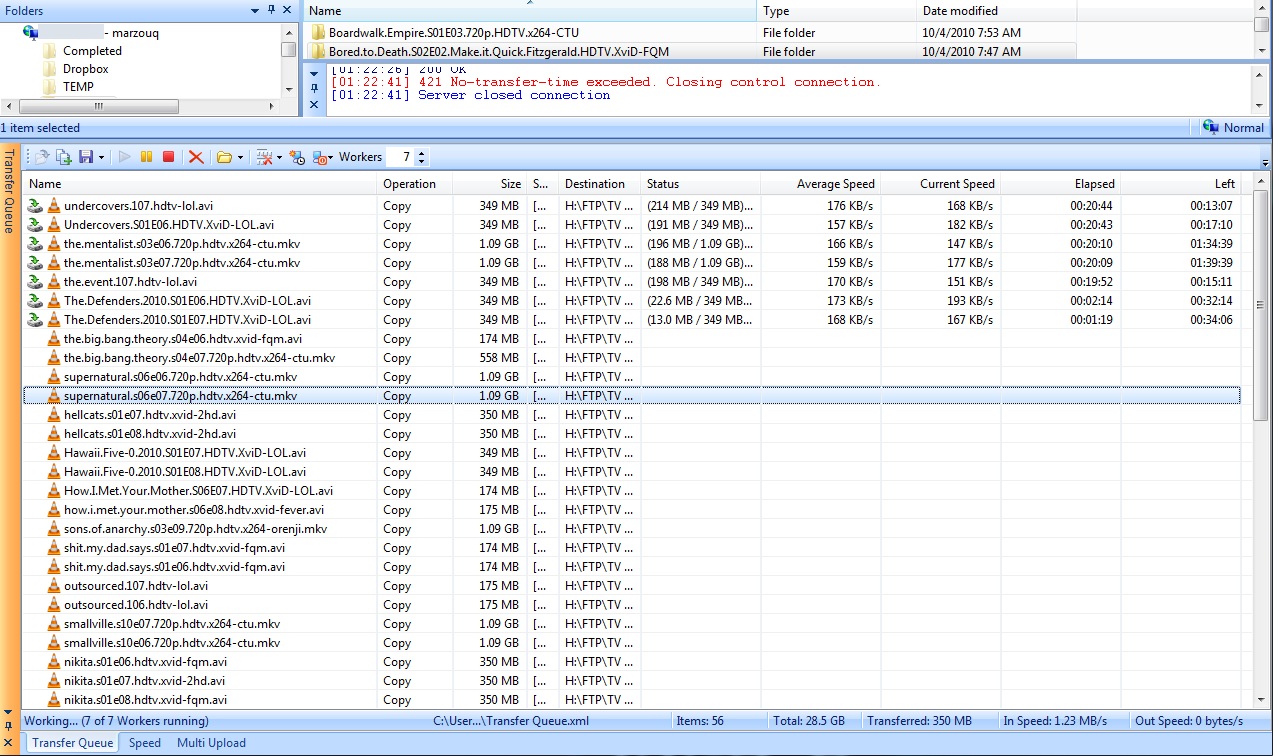
The last few weeks I haven’t had a chance to sit at the computer and catch up with my tv shows and I was falling back on a few, so late at night before my flight I decided that I’m not going to be sleeping much so might as well go through all my shows and download all that I haven’t downloaded yet. So I took about 30 minutes checking which shows I had and which episodes that I didn’t and proceeded to download them. Luckily for me on Tuesday night at 1 am it didn’t seem like there were a lot of people online and I was downloading between 1100 KB/s to 1230 KB/s which is fantastic, thats on my Qnet connection. Clicked to download all my shows and left it to download before I went to sleep to wake up for my flight the next morning, but before leaving I proceeded to load up my external HD with the shows. (Click on the image above to see the download speed)
The List:
- 30 Rock
- 90210
- Blue Bloods
- Boardwalk Empire
- Bored To Death
- Chuck
- Community
- Cougar Town
- Fringe
- Gossip Girl
- Hawaii Five-0
- Hellcats
- How I Met Your Mother
- Modern Family
- Nikita
- Outsourced
- Shit My Dad Says
- Smallville
- Sons Of Anarchy
- Supernatural
- The Big Bang Theory
- The Defenders
- The Mentalist
- The Office
- Undercovers
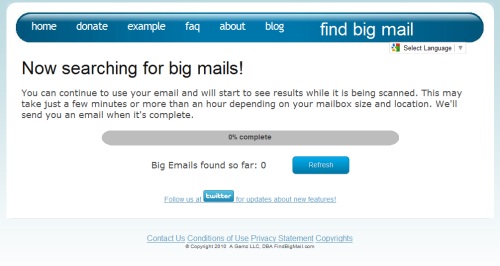
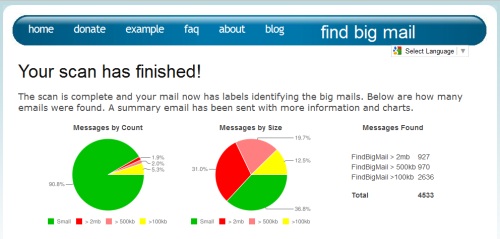
Recently I got a warning from Gmail that I am reaching my mailbox limit, I never thought that I would hit the 7GB mark but it seems years of not deleting any files has resulted in a large pile up of files. I still search through old files for information and I love that I don’t have to delete, I know that I have files which are unnecessary so luckily this post was shared by a friend on GoogleReader so it was perfect timing, talking about an online application called FindBigMail which integrates with your Google Account.
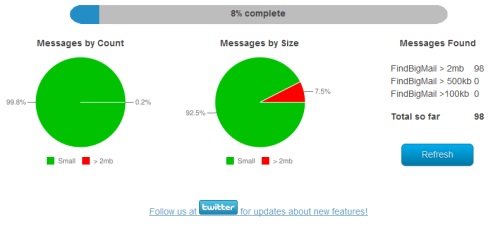
The software solution works very simply, you just enter your Gmail address, even works with domains registered with Gmail apps. After you authorize FingBigMail to sort through your account, it goes through it to check for files sizes. It categorizes files bigger then 2MB, Bigger then 500 KB, Bigger then 100 KB, and small. Each one of these search factors is created as a label in your Gmail and files are sorted into automatically which makes it extremely easier to delete files with attachments that you don’t need any more. After I did that I managed to free 500 MB right away, and the rest I need to think if I want to delete them or not, I’m taking my time with them. This is the best application to help clean up your mailbox.
New Gmail Labels:
- FindBigMail – Top 20
- FindBigMail > 2MB
- FindBigMail > 500 KB
- FindBigMail > 100KB
Link: FindBigMail
Continue Reading…