
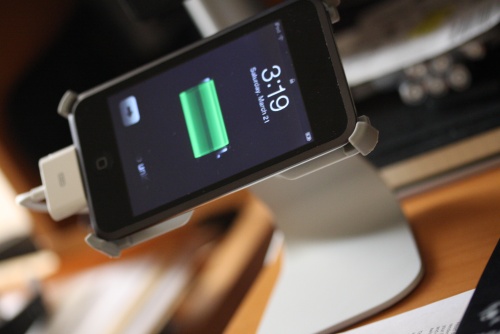
A lot of people have been in the situation where they have lost their music library one way or another, but thankfully they have it all on their iPods. Now the issue is getting it back to the PC and acting all normal again, so how exactly do you go about it without erasing the damn thing. Another situation is when you want to just duplicate your friend’s iPod, some people just aren’t good at making decent playlists when they have thousands of songs. I know I forget a few songs, and making playlists gets annoying with that many songs, but worth it in the long wrong. So are are a few useful software that you can use “expand” the usage of your iPod.
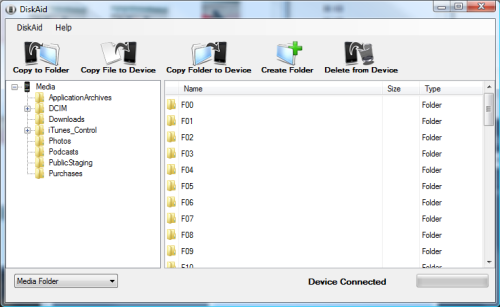
Disk Aid (Freeware)
This is a really useful software, some people have the very large 80 – 160 GB iPods which they haven’t completely filled. Disk Aid turns your iPod into an external hard drive that you are able to drop items into without having any affect on your current files, unless you delete something. Works really well and its free.
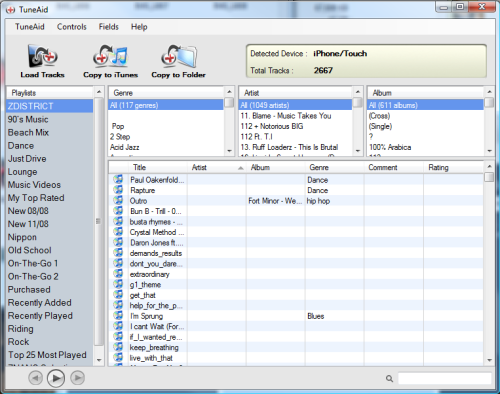
Tune Aid ($25)
This one of the first applications which I think is a must for anyone with an iPod and its worth the $25. You can copy your whole iPod to your iTunes including Playlists, Album Art, Number of times played, and all the other details. You can keep adding your iTunes library by doing this to multiple iPods and copying it to your PC. Also it doesn’t matter if the iPod was Mac or PC formated, Tune Aid can read it. Also you can be specific about certain songs or videos, and you can leave out the rest. Its an amazing piece of software which is worth the $25, it works with all types of iPods. It is also able to recover songs from a corrupted database/iPod.
iPod 2 iPod ($39)
Copying between two iPods is a hassle, especially playlists and all the other items. Specifically if you don’t want to copy the items to your iTunes library. The usually problem anyone faces is that iTunes will format an iPod which isn’t connected to it previously, so you have to make sure you set it so that you Manage the Library and switch off Auto Sync. You can plug both iPods to the PC and it will recognize it, the best part about the software is that its very simple to use. You select the tracks you can to copy and copy it over to the other iPod, and you can do that with the Playlists as well. The freeware version can only do 100 songs, but the main one can do many, I tested it already with about 7000+ songs. Its an extremely useful software if you do this a lot, I do this because I take friend’s iPods and copy them back and forth, but is it worth $40 I don’t think so, I think its worth about $15 max. But it is a very clean piece of software that doesn’t involve any complications.
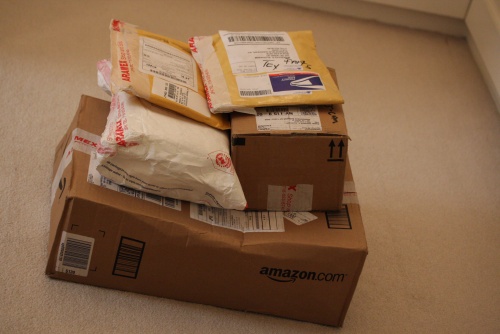
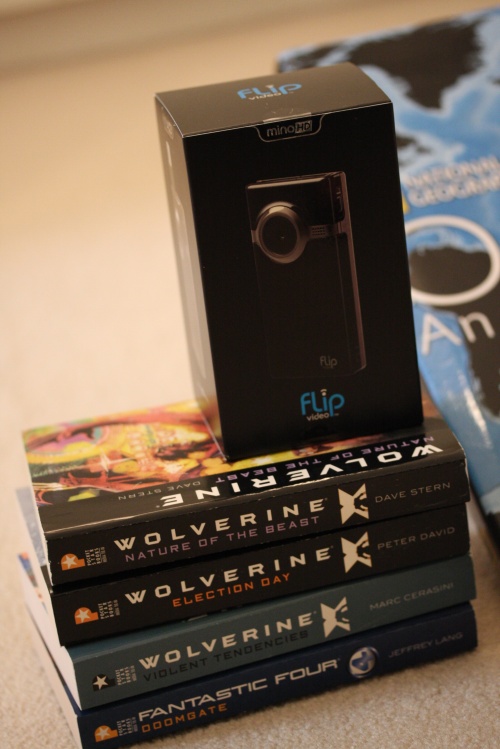
Every once in a while I just save up all the random things I want in my shopping cart and decided to purchase them. Some were books, some were electronics, I have been waiting for the Sonos Controller Cradle for a while now but I just didn’t get around to it. The Flip MinoHD Camera is quiet simple and easy to use for what I have in mind, I want to record some videos while riding bikes and cars and tweak the videos. And I got a stand for my iPod Touch, honestly the stand just looked really cool.
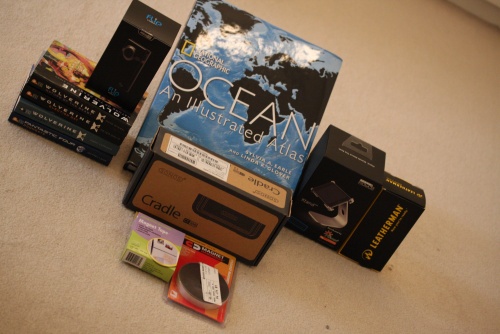
- Ocean: An Illustrated Atlas (National Geographic Atlas)
- Sonos CC100 Charging Cradle for Sonos CR100 Controller
- Wolverine: Violent Tendencies
- Wolverine: The Nature of the Beast
- Wolverine: Election Day
- Fantastic Four: Doomgate
- Leatherman 934870 40 Bit Assortment with Nylon Sheath
- Flip Video MinoHD Camcorder, 60 Minutes (Black)
- Just Mobile iPod Touch 1G & 2G Xtand Deluxe
- Adhesive Magnet Tape

Was checking this out after Ananyah mentioned it, design awards for blogs from a web hosting company. Looked like something interesting so I decided to participate and based on the categories I think my blog would fit into the Grunge type. I do like the way my blog looks thanks to Jacqui and Ananyah for every revamp, now I just have to see what how it fairs in this competition. First phase is to pass a panel of judges then its up to the voting public to click away to the finish line.
Link: WPWebhost
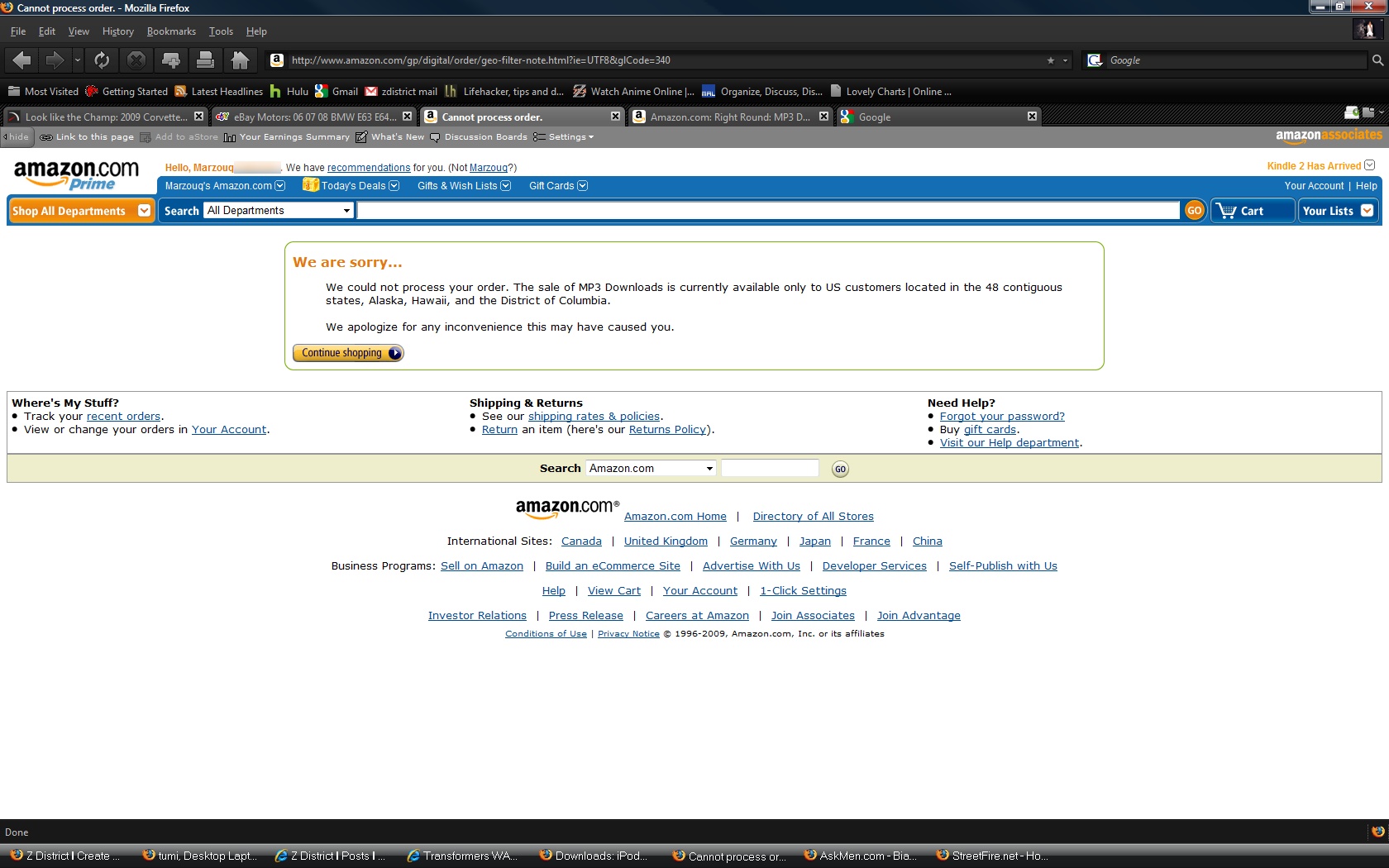
This MP3 service from Amazon came out quarter 3 of 2007 and I think it has been very successful with the DRM-Free Music. They have improved their selection as well as provided a better way of going though the music and suggested searches.
After all this progress they are now implementing Geo Filtering sales, so songs can only be bought and downloaded through US locations. Meaning you have to be in the US to buy from Mp3 Amazon which is a bad idea in my opinion. This might be from the Music Industry and not from Amazon, but luckily we can still buy and download from iTunes DRM Free music with iTunes Plus.
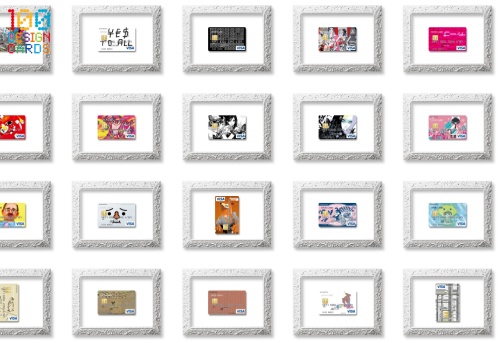
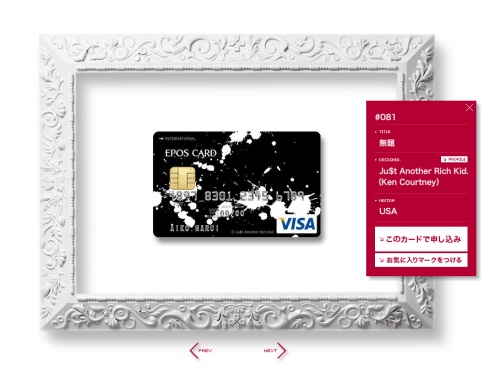
I don’t know what exactly is the concept behind all these credit cards, but all I know is that they are very cool. I think a bank in Japan had 100 different designers make all these different cards, I’m not sure whats the reason but wouldn’t it be cool that some of these cards really be made for the consumer. I doubt a bank in Kuwait would think of doing something like this.
Link: EposCards
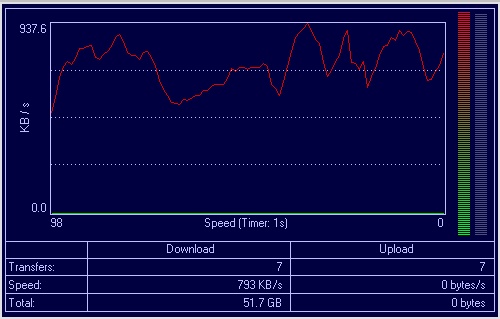
For three weeks I have been putting my 7MB connection through the hoops. Downloading at full capacity, streaming HD content while making simultaneous downloads and uploads.
This is an example of the connection going with multiple downloads working, as you can see it peaks around 900 – 960 Kbps, when the connection was 4MB I was constantly downloading at 400 to 500 Kbps, with 7MB I’m getting a little bit more but not as stable as before. The downloads average range from 700 to 850 Kbps, but still its a lot more then before. Qnet has managed to provide a really good stable connection at this speed, meaning it doesn’t disconnect but it does slow down sometimes. I think they are working out some kinks but these speeds are pretty good for Kuwait. Now to wait for ADSL2 which is coming sometime over the next year or two to increase our bandwidth with our current MOC setup.
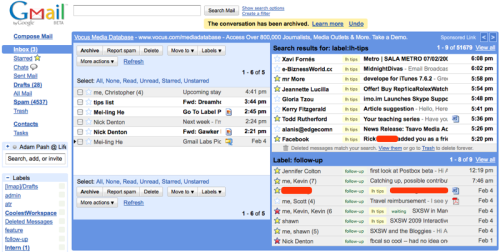
Now this is one very useful feature from Gmail, at last you can view multiple panels in one window. You can enable it in the through the Labs tabs, and these tabs can be configured to show different emails such as those unread, from a certain person, starred, with attachments, and a maximum of five different panels. The setup does look nice, but there is still room to clean up the look. Then there are a lot of other options to play around with in the Gmail Labs.
Panels by searches:
- is:starred
- is:unread
- has:attachment
Link: Lifehacker
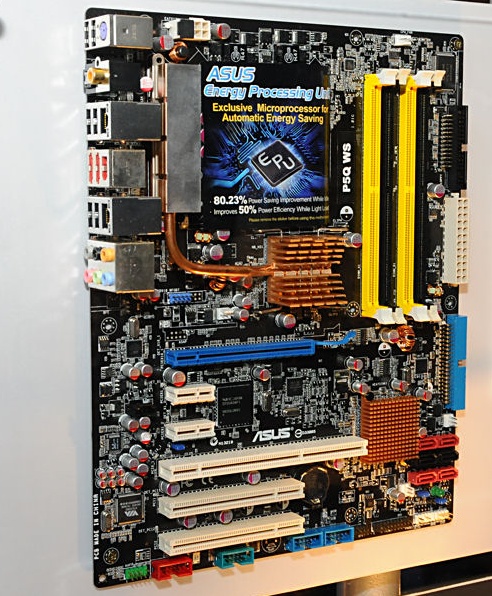
We had to start off with a clean install and a few items to work on. We put the basic hardware together to make a clean server install.
The Skeleton Crew:
- Lian Li – PC80
- ASUS P5Q WS
- Intel Core 2 Quad Q9450 Quad-Core Processor 2.66 GHz
- NVidia 7200 GS
- (2x) 2GB G-Skill DDR2-800 Ram
- Sata/Raid Card PCI-X
- (2x) Seagate 250 GB Slim
- (8x) 1 TB Drives
- (1x) Back Plane
- Tower Raid 8 Slots
Â
After installing just the backplane and main hard drives we started up the machine. After a few tries nothing came on the screen but everything was working. We switched graphics cards from other machines, and tried it multiple times but something wasn’t working. Turns out we forgot to plug in the PCI-Express power cable into the motherboard so thats why nothing was coming out into the screen, after finishing that little problem we proceeded with the install which went smoothly.
After the basic install was complete I proceeded to install the mobo drivers, then connected to the internet for the rest. Basic rule of thumb with us, not to install drivers from the CD but to perform a Windows Update with the optional items checked so that you can get the latest versions of the drivers compatible with the OS. And this the point we have reached, I tried using the tower raid with eSata connections on the mother board but that didn’t work out very well, requests to those hard drives kept timing out, so I have to take a different route. Nothing feels better then working on a clean installation.
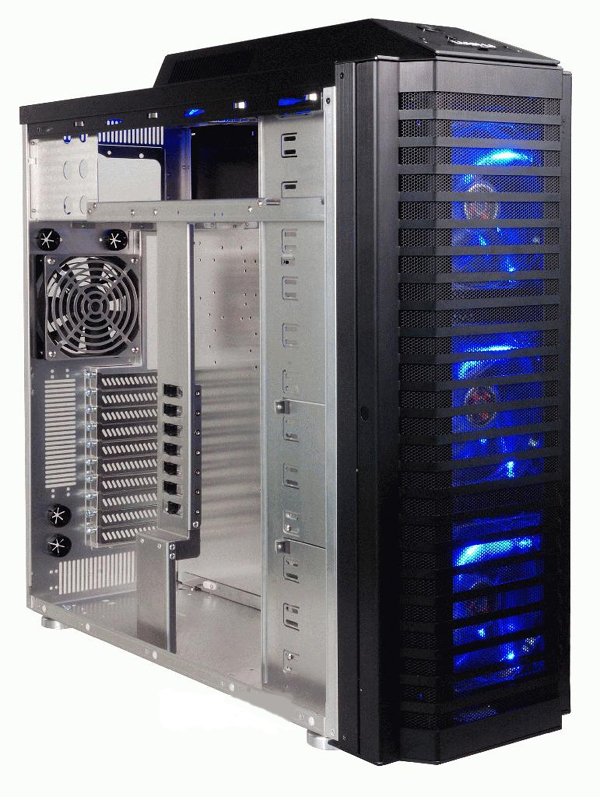
I have gone through a lot with my Windows Home Server and most of all my media is installed on that machine. It has turned out to be the easiest and simplest back up solution I have with huge expansion capability. My Original Bunker Server is maxed out at 11 TB, and I have used 97% of the capacity available with duplication switched on. It has been working perfectly and for very long periods without being switched off. Microsoft has built an excellent product with Windows Home Server and I hope they keep developing it.
This is the second iteration of my Windows Home Server, I am building a new machine with at least 23TB starting, and easily going more with the new Western Digital 2 TB Drives. Thanks to the Addonics Port Multipliers this is achievable with the Back Planes and a SATA Array which is connected by eSATA through the motherboard. I will be cannibalizing Bunker Server once I start transferring files over to the Hazmat Server, mostly all the Addonics parts and hard drives. I will be listing all the parts for this install once we begin with it, and it will be a monster of a machine.
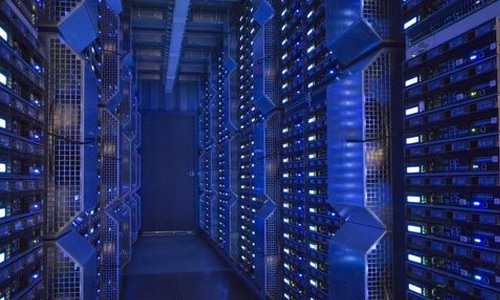
Later in the afternoon on Wednesday the internet connection was back up and it was flying! My downloads were between 700 Kbps to 960 Kbps! It was a bit erratic for a little while but I was getting some very high speeds and my FTP flew through the files I had in the list.
Now even with the full throttle downloads I can watch Youtube without any issues what so ever, which speaks volume for the speed and consistency. I hope that Qnet can continue maintaining their services. I just learned that after a line test on my other connection which has a KEMS subscription, it is maxed out at 2MB and that line is a new line, so it seems the older lines are of better quality.