Yesterday was a funny day, after thinking about it I went to a couple of areas a couple of times during the day for different purposes but it was really funny.
- Home -> Shuweikh
- Shuweikh -> City
- City -> Shuweikh
- Shuweikh -> Hawally
- Hawally -> Shuweikh
- Shuweikh -> Home
- Home -> Hawally
- Hawally -> Shuweikh
- Shuweikh -> Home
When ever I went to any of those areas I was walking around a lot, in the City I had to walk a lot to find damn parking. Shuweikh was a lot of walking as well but its because I only have cell phone service outside the building so I pace when I’m on the phone. In Hawally I had a meeting but then I was in Ibn Khaldoon to do a lot of walking between all the stores, its a lot of fun.
I’m just happy I managed to finish a lot of tasks during the whole day on top of all the hectic meetings and I still kept doing things after work. Then I went over to my brothers place to hang out for the rest of the day.

I went to my brothers house after finishing up my errands, I reached their home before them so I put my things down in the living room and I went upstairs to find my niece bouncing around in her little baby thing with wheels (Don’t know the name of it). She gives me this look, who are you and what do you want! She is cute and then I played with her for a bit until she found things which interested her more.
I heard the door bell, and so I walked down expecting my brother only to find my nephew coming back from playing next door. I picked him up and of course he was asking for his father and mother, but I had to do for the next 20 – 40 minutes. I was entertaining him by playing with him and his car as well as, running after the ball which he found to be hilarious.
The funny part is later when they came back he wanted some chocolate biscuits, and he would bring one over to me to eat and try to place it in my mouth then he would take it and eat it. He would laugh that I fell for his joke, and then I would point at my open mouth for him to feed me. He did it a few more times before he fed me, he was also causing havoc around the area and I found that be entertaining since I really wasn’t stopping him, I was only laughing. I also bit his arm later in the day since he was not feeding me, he was laughing since he enjoyed his biscuits. I can’t blame him for liking these biscuits, they taste so damn good so I kept stealing from him.
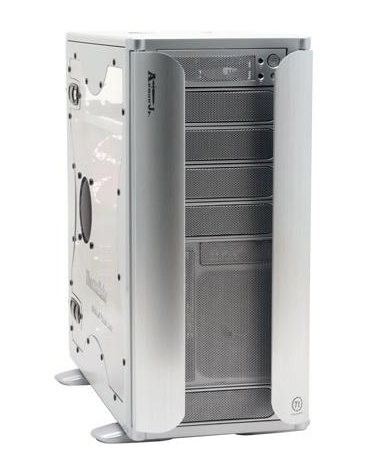
I have gone ahead with my computer transplant since my main PC is acting up. and it was making some really weird noises.
I have used some of my old components to build the revamped PC, and I’m using all the parts thats left to build a media pc since all I need for it is to have a good graphics card to output to the screen.
Current HW:
- Pentium 4 3.6 Ghz
- Old Alienware Case
- 2 GB Kingston Ram
- Motherboard: MSI P4N SLI
- Graphics Card: MSI Nvidia 7800 GTX
- OCZ 600W
- Creative Audigy Live
- Sony DVD-/+RW 16x
- Plextor CD-/+RW 48X
- 1 x 74 GB WD Raptor 15′000 rpm
- 2 x 250 GB Maxtor 7′200 rpm (Raid 0)
New Components:
- Thermaltake Armor Jr.
- Mother Board: DFI NF680I LT SLI
- Intel Core 2 Duo E6700 Conroe 2.66GHz
- 750 GB 7’200 RPM
- LG DVD-/+RW x20
- 2 GB OCZ DDR2 PC2-6400 / 800MHz Dual Channel
Final Result:
- Thermaltake Armor Jr.
- Mother Board: DFI NF680I LT SLI
- Intel Core 2 Duo E6700 Conroe 2.66GHz
- Graphics Card: MSI Nvidia 7800 GTX
- 750 GB 7’200 RPM
- 74 GB WD Raptor 15′000 rpm
- 2 x 250 GB Maxtor 7′200 rpm (Raid 0)
- LG DVD-/+RW x20
- Sony DVD-/+RW 16x
- 2 GB OCZ DDR2 PC2-6400 / 800MHz Dual Channel
- OCZ 600W
- XP Pro
The only thing about this case is that it is a bit tight, for the full PC I would go for the full tower Thermaltake Armor, the junior is a bit cramped on the inside even though it has a lot of slots. Professional Computers are putting it together and doing the full install, they are really good with their service.
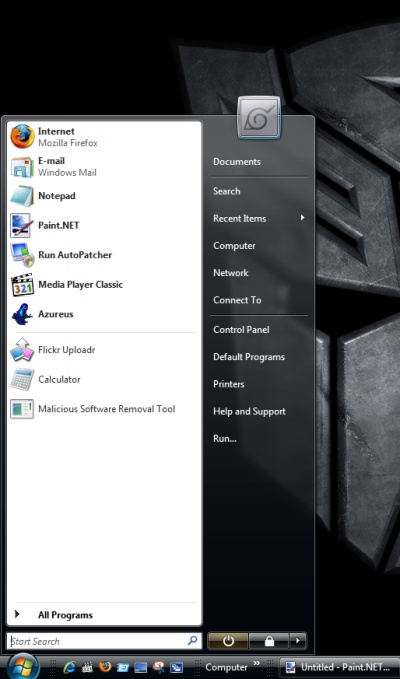
I have currently used Microsoft Vista for a couple of months now with a good overall feel for all its features. I still don’t know all the functional differences between all the different versions of Vista available. Microsoft have done a good overall job with this machine but there are still a few holes to fill.
When XP came out a few years back now we weren’t as much online as we are now, and there weren’t as many computers as there is right now. We have become more demanding users and have high expectations because of what we have gotten out of our PCs.
For my main PC I still use Windows XP and I will keep using it for a little while longer. I have a lot of things connected to my XP Machine such as External HDs, HP All-in-One Printer (Through the Network but with full functionality), and Plug-N-Play for all my other hardware. I still do video editing on my XP Machine because I know how the software is going to act on that machine.
Vista has its positives:
- It is smoother and easier interface
- More cool features such as the gadgets
- Auto fixing when there is a problem with the hardware
- Better Windows Update
- Multiple Monitor Functionality is great
This is all great when everything is working, but with Vista a lot of times not everything will work together and sometimes the software hasn’t been updated for use with Vista even though it says Vista Compatible.
One other aspect to keep in mind about XP and Vista, with a powerful setup Vista runs a bit heavier then XP since the interface is smoother & its aesthetically cleaner. It would take about 20% more power for Vista to run at the same level as XP when playing a game. For any gamer XP is still the better platform.
For those looking to move to Vista I would recommend waiting, but if you have another machine to try it on then I recommend getting it. Its a great OS to try but it shouldn’t be your main PC, give it a little while or at least until the first Service Pack release.



These are the my best Gadgets:
- 24 Clock
- UK Radio player
- CPU Meter
- Maps
- Notes
- Halo 3 Count Down
- Calendar
- Calculator
- Xbox Live Gamer Tag
- Remote Desktop Access
- Shutdown, Restart, Suspend Quick Access
- Connectivity (IP) and Quality (Wireless & Wired)
- Run Command
Gadgets are the new addition to Vista which you can really customize, and in my case there is a lot of functional use from them. Whats great is when I listen to the UK Radio player to listen to Kiss 100, Choice FM, and the Hits. I get to listen to all the new dance, hip hop, rnb, and garage music which is really entertaining. And all the other gadgets are self explanatory, you can keep adding as many gadgets as you want. I’m showing two pages of them when I have about 4 pages, and I don’t think there is a limit but there is a limit to functionality if you put too many pages.
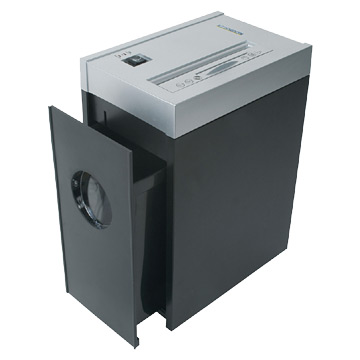
I usually don’t like disposing of paperwork by throwing it away, I like separating it into different bins if it is sensitive information! Recently we got a paper shredder at work after months of nagging procurement! There is something about a paper shredder that I find so entertaining! Whenever I have sensitive information I bunch up all the papers and stuff them up top! You can even put CDs and Diskettes to be shredded! When I’m standing and looking at it I feel like a kid, and the funny part I know a lot of people are just as entertained shredding their papers! At least we get to shred sensitive information, and the paper is recyclable in that form even though we really don’t have recycling in Kuwait, that was proven to be hoax a little while back.

What I’m Downloading:
- Bleach
- Naruto Shippuuden
- Eyeshield 21
- Ergo Proxy
- Kiba
- Nodame Cantabile
- Kiss Dum – Engage Planet
- Darker than Black
- Claymore

What I’m watching
- Naruto Shippuuden
- Death Note
- Welcome to the NHK
- Devil May Cry
- Hellsing Ultimate
- Claymore
What I usually like to do is save up a bunch of episodes and then watch them all one go instead of trying to watch week to week, it drives me nuts when I have a good anime and I have to wait a week or more to watch the next episode so I save up on as many as possible and watch them one go. Currently the two I’m watching the most are Welcome to NHK and Death Note!
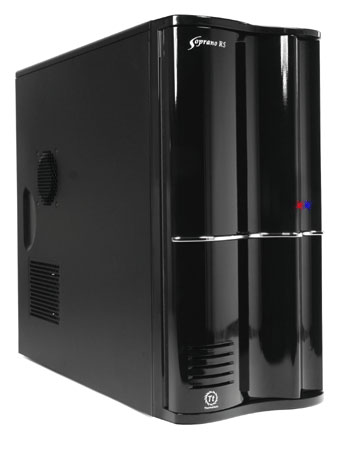
I have been going over the parts in my head, and taking a look at the machine that I want to build. I am seeing that prices are currently dropping for a lot of hardware and that Intel is supposed to release a new chip type so I have decided to wait a bit on a powerful machine, about a month or two.
At this point I’m just thinking about modifying my current machine just to clean it up a bit and bring it up to good operations.
Current HW:
- Pentium 4 3.6 Ghz
- 2 GB Kingston Ram
- MSI P4N SLI
- MSI Nvidia 7800 GTX
- OCZ 600W
- Creative Audigy Live
- Sony DVD-/+RW 16x
- Plextor CD-/+RW 48X
- 1 x 74 GB WD Raptor 15’000 rpm
- 2 x 250 GB Maxtor 7’200 rpm (Raid 0)
Some components are 7 years old now and they are still functioning such as: the Sound Card, Case, and CD-Writer (Plextor). The rest of the hardware is pretty damn good.
What I am thinking of doing is upgrading the ram to OCZ performance ram, but I’m also limited to the capabilities of the motherboard. I’m thinking of getting a motherboard upgrade, but I’m not sure of that.
Right now I’m sure of these items:
- Samsung DVD-/+RW 18x (Replacing the Plextor, it is reaching its end of life)
- Creative X-Fi sound card (The Audigy Live did its job but there seems to be extra distortion)
- OCZ ram instead of the value Kingston ram, but only 2 GB
Optional Upgrades:
- Thermaltake SopranoRS 101 (My current case is too big, and these items can easily fit in the Thermaltake midtower)
- Upgraded motherboard (I doubt that I am changing the motherboard unless I have to)

Saturday was one hell of a day at work, I didn’t expect it to knock me out like that from the beginning of the week. There was a lot of work, and even more work to do for the rest of the week. Its is going to be exhausting for sure, preparing solutions, designing the right setup, presenting, meeting with idiots, and a lot of other things.
I came home after work at around 6:30pm and had a late lunch. At around 7:20pm I fell asleep in the basement only to wake up at 9:33 pm to transfer upstairs to my bedroom. I felt really tired and I had to drag myself out of the basement up to my room, and I had a lot I wanted to do this Saturday night but exhaustion got to me before I could even get up. It seems I’m really going to have to organize myself for this week to have any time to do anything after work.
After my little incident I was lucky to get off with just having to change my tires. The vibration was just too much, as soon as I hit 80 kph and went faster the rougher the steering wheel vibrated so my only choice was to change my tires.
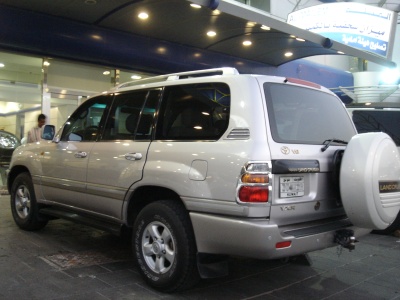
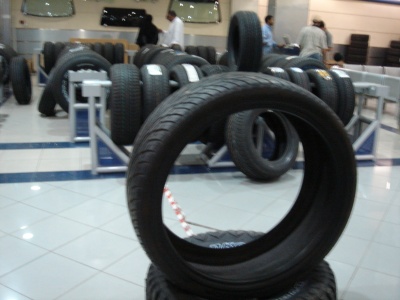
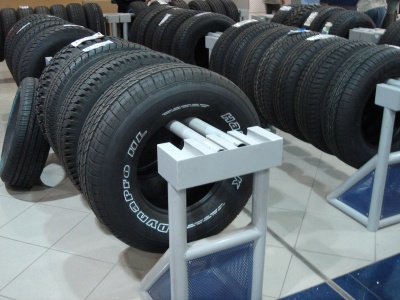
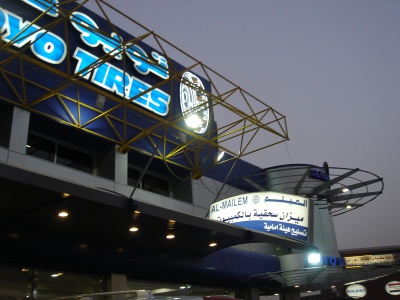
I have had the Bridgestone Duelers for a while now and I think they are pretty bad tires since they are pretty bad when I brake and lose grip faster then I would like. My first choice was the BF Goodrich All-Terrains but it seems they are expensive and people don’t buy them in Kuwait, they go for 60 KD a tire, and for an SUV it seems to be expensive. I went to Al-Mailem Tires on Canada Dry street around 6:30pm on Thursday to change all the tires and get an alignment. They have a very large selection of tires, and I thought they might have the ones I wanted but they didn’t. They had different on-road SUV tires available but I didn’t want just on-road tires, I wanted them to handle in dirt as well so my only option for All-Terrains they were the Toyo AT Open Country.
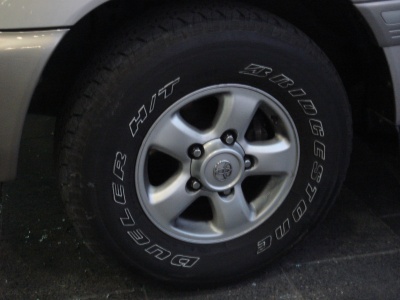
They mounted the first one just to see how it looks and I have to say it didn’t look too shabby so I went ahead with them. At first they were 52 KD a tired, then he dropped it to 39 KD a tire and a 10 KD computer alignment for a total of 166 KD. I was watching them mount the tires, and I could watch them all day I just enjoy went new tires are mounted. These new tire balance computers are amazing, I was standing next to the guy doing it and asking him questions.
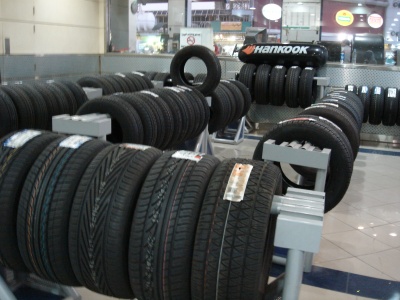
As soon as they were done installing the new tires I went for the alignment and you stay in the vehicle while they make your adjustments which is really fun. Overall these tires are much better then the Bridgestones from the first day of use.