
A pure samurai battle between two taking it to the end and cleanly done CG animation that gets your blood pumping.

This is an interesting yet simple concept, a website that has your four most important destinations as its main page. Cookies have to be enabled for this work, you can customize the list of websites from available and you can suggest a popular website to them but I’m not sure how long that would take to get done. Overall I really like how clean it is, surprisingly Bing & Google Search aren’t on the list but they plan on integrating it into the main page as searchable area, I think that would complete it.
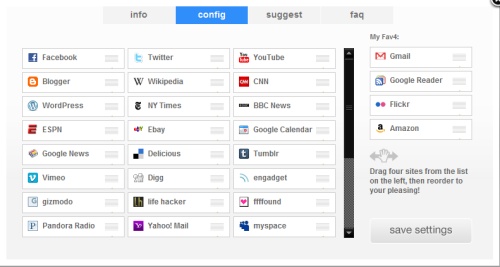
Its a great start to the idea and cleanly implemented, the next step would be to let people customize their own links with their own logos, then at that point it wouldn’t just be cookie based, there would be users with their own load up page. The trick would to have full customization and still keep it that smooth.
Link: Fav4.Org
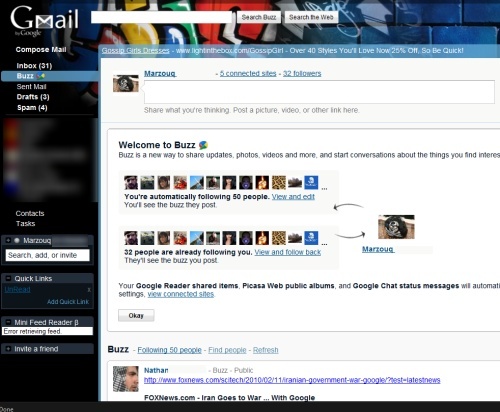
The simple way to explain Google Buzz is that its a feed of what your doing online, initially its all Google Related sites which is an automatic feature. Whats surprising is how Google launched this so silently with no buzz, contrary to its name. But it can be really interesting connecting all people on your list and friends list together, and following the activity of more people. Its getting a bit jumbled with Google Reader as its automatically following more people, and sometimes keeps adding them back in so Buzz is being integrated across all Google Platforms.
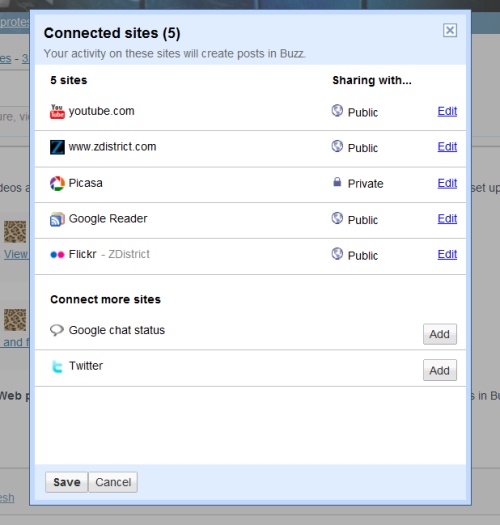
To Modify what your sharing go to the Buzz Page under your inbox in Gmail, right there click on view connected site to change which sites will show on your Google Buzz as well as how they are shared. You can even add individual websites so the website activity shows up on your Google Buzz. What you do want to do is stop other people who don’t know the people on your list from viewing them, its as if you are showing the world your contacts, that is a bad automated feature from Google. These steps are provided by Lifehacker but here is the simple breakdown:
Go to your Google Profile: Then click the link labeled “Edit Profile” and on that page just follow the steps below.
UnCheck: “Display the list of people I’m following and people following me”
What I Dont like:
- Automatically shows who is following you and who you are following
- Your Google Chat conversations are put up for all to see as well as other data automatically
- It isn’t intuitive in how to unshare certain features
- Slightly intrudes in your privacy if you don’t know how to control it
What I like:
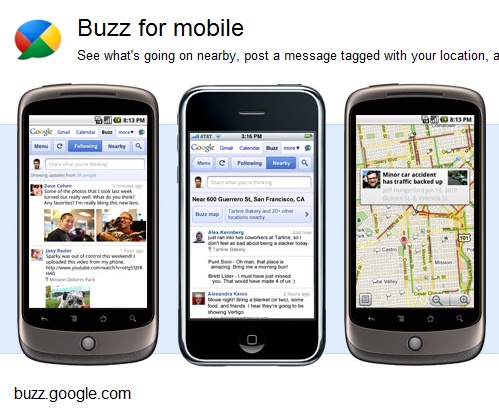
- It sort of pools all your activity into one window for friends to see, from Google Reader, Flickr, Twitter, Individual Websites
- Friends can comment on your activity and your details are kept within the Buzz page
- For once Google introduced a new item which integrates across all their platform
- You can really customize the details that are presented but all these details aren’t on one page
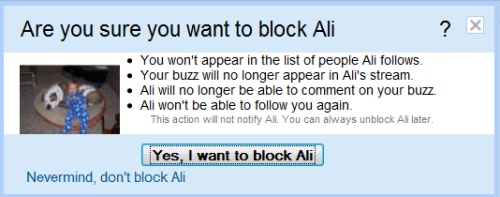
You can click on individual people to remove them from following you or you following them, and in the grey notes just under that button it will say they won’t know that you did it. Or you can it turn off Buzz completely, its all about how comfortable you are sharing this kind of information. Google is pushing into the realm of Facebook and other types of social networking but not just communication, its based on your content and what your doing, people can see and comment as well as you can comment on what there doing.
Overall I like it because its connecting friends on a different level and I’m enjoying it.
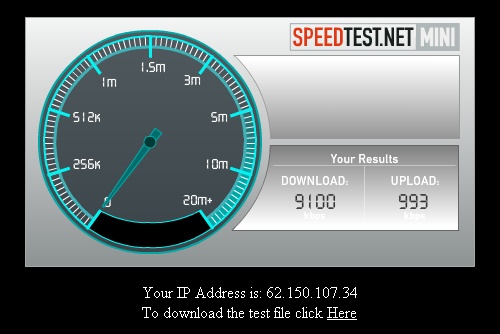
QualityNet
I have upgraded my DSL account with qualitynet to the MAX Dsl package, which ranges from 5 to 24 MB. Basically it goes to the maximum capacity of your line and I am very happy with this package. Especially that the prices have dropped drastically over the years and Qualitynet leading the pack with the price drop.
Qualitynet does have its issues but their service is solid with me, and it seems if they don’t have any MOC issues then the connection works perfectly. When there is an MOC issue you are out of luck and most the time it won’t be resolved and you are stuck with what you have, the problem is that once that happens you have already paid for your connection and are stuck with it. But in my case these lines seem to be solid for now, sometimes the MOC does mess things up.
As of right now my download speeds are ranging from 1090 KB/s to 1210 KB/s which is fantastic compared to my previous connection. This connection have been consistently stable, and it has reduced my download time of large files by 20%.
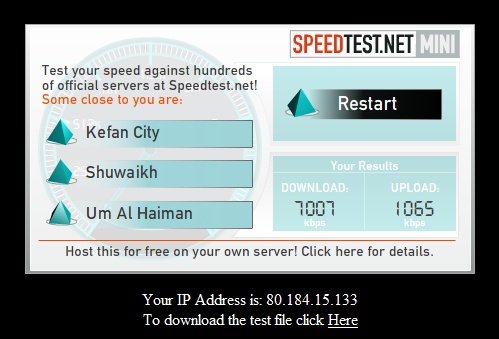
Kems
My Kems connection was upgraded to the maximum possible speed of the line which is around 7MB, and at this speed I’m downloading from 780 KB/s to 920 KB/s. Kems has the best technical support I have seen from any ISP, the guy on the other side of the phone knows what he is talking about and can help solve the question or give you a realistic answer which helps not to frustrate you more when there is a problem.
After making the payment I get an sms two days later stating that my service has been upgraded and it is now active which went very smoothly. In this case it was 40% more expensive then the Qualitynet connection but this is the maximum capability of the this current line. Oddly enough I bought this line over two years ago and its of lower quality then the line we have had for 30 years and can support much higher speeds. Between the two ISPs Kems seems to have a better consistent upload speed, and this has been my experience with it.

As of recently some of the trackers have been out of the public eye, then there are few which are blocked by MOC. I just use a VPN to access the blocked TorrentSites and the torrent downloads work without the VPN as it has nothing to do with the blocked website. These are the ones I get most of my media, all the different kinds.
Torrents:
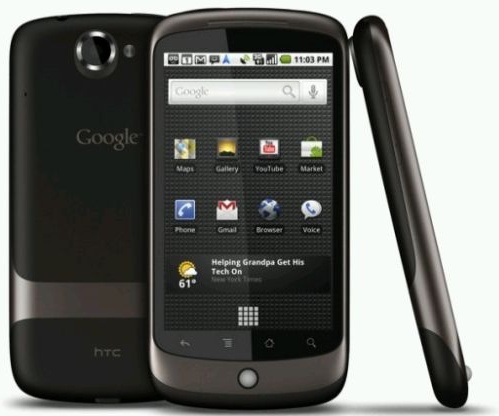
I received a message on my Google Nexus One for update, I wasn’t sure what it was but I was too sleepy to think about it and just accepted it. I installed and restarted, right after I didn’t think much about it, I was reading an article on BBC then I was trying to move to things and the screen zoomed in when I realized they updated the multi-touch capability which is a very important feature to have but I was too lazy to root it or install a program for it. The update came from Google which fixes 3G issues as well as the multi-touch feature, a quick roll out for this service. Overall I am enjoying the Nexus One and all its capabilities, its interesting comparing it with the Blackberry which I will at a later point.

Thanks to UpTill1 I manage to see the pricing before heading over to InfoConnect to renew my internet service. Its the best time and best pricing, I have two connections at home, Qnet and Kems, I am happy with both ISPs and Kems still ranks #1 for customer support and resolving issues. I paid 720 KD to Qnet for a 7 MB connection and 299 KD for a 2MB connection for a Kems connection, but not it seems the price have been really reduced, its also due to them optimizing their networks.
ISP Ranking:
- Kems – Best Support
- Qnet – Best Pricing
- Fastelco – Best Improvement overall this year
- Gulfnet – Don’t even bother with them, the worst service possible
I have gone ahead with the Max DSL package from Qnet which ranges from 5MB to 24MB, the stipulation is that it will go to the maximum of line not reduced whenever they feel like it as I have 7MB currently and want faster. Its really worth it for 420 KD and my line supports 11MB so it will be a significant improvement, this increase is supposed to take place by Monday at the maximum so I will test it then.
Now for Kems I have a 2MB connection and I want to upgrade since their prices are very reasonable right now, for 399 KD I can have 4MB or for 599 KD I can have 8 MB. The combination of these two networks would be very much a reality with the ftp downloads at full throttle. I have managed to use each one for a purpose but the packages are enticing.
This is so true, everything Charlie says about how they report the news is very generic. They usually have diagrams or certain scenes or the way they present the information, but its fantastic how he has picked them apart and how some can be very useless.
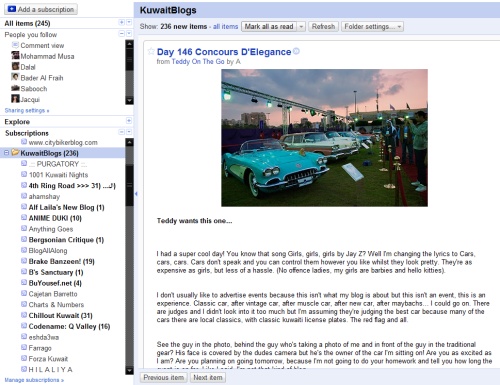
This some of the blogs that I have been recently enjoying, lots of blogs pop up that I don’t have a clue about and that I stumble upon from other blogs and clicking a few names. I took a few of them and tried to categorize them into three different categories, and still there a few that I miss out on but I’m always looking.
Technology
- Anything Goes– Technical, Practical, lots of great info for anyone in technology
- BlogAllAlong – Technical outlook, quick fixes, modifications, a fantastic technical blog
Unique
- YearOfTheTeddy– Amazing photography and social blogging
- BrakeBanzeen– My feed for real car info, and even gets it before the major blogs
- Bu-Yousif – Fantastic Photoblog and storyline to follow it!
- re:kuwait – Unique Architectural Outlook
- NegativEffect – A unique and talented Kuwait PhotoBlog
Fun
- 4thRing– Lots of Laughs, and good info!
- Codename: Q Valley – Unique blog with fun interviews
- Ansam518 – Good Food :D
- Storm In A Tea Cup – Video Games, Anime, Books!
- UpTillOne – Trying things out and posting it, always good to learn from other’s experience, lots of good info, I purchased the Google Nexus One after they posted about it
- CouchAvenue– Obsessed with Mac!
- BuzBerry – Lots of great reviews, and they develop their own Apple Application!
- TouchOfMeh– Three guys with different tastes and some very useful facts
- SomeContrast– I always checked out a few places in Kuwait after they post reviews
Sounds like its a simple enough but after trying for hours upon hours this is the best process that I have come up with that can apply to other phones.
Sony Ericsson T700 (Any Sony Ericsson) to Google Nexus One
What You Need:
- Sony Ericsson PC Suite
- Microsoft Outlook
- Gmail Account

Simple Steps:
- You Syncronize all your contacts with Outlook through the Sony Ericsson PC Suite, in my case they were 1000+ Contacts with multiple numbers.
- Then you go to Microsoft Outlook, go to the Contacts Tab
- Choose “File” then “Import and Export”, then choose “Export to a file”
- Then you export the all your contacts to Comma Separated Values or CSV (Windows) Format
- Then you log into your Gmail account and head to contacts
- On the top right side of your contacts is an “Import” tab, click that link
- Once you go to the “Import” page, open the file on your computer named Contacts.CSV and upload it
- It will upload all your contacts to your Gmail Account
- Then the Google Nexus Phone which is associated with your Gmail account will proceed to sync with all the data and within minutes you will have all your contacts on your Google phone
This isn’t 100% perfect you still have to go through your contacts and clean it up slightly, there are a few mix ups but the best part is that you edit it from your Google account which is much faster. You can merge duplicated contacts, add more data and your phone will sync up when ever it has a data or wireless connection which has made things simpler for me. I think I’m at 95% at this point but there is still some clean up to do.